
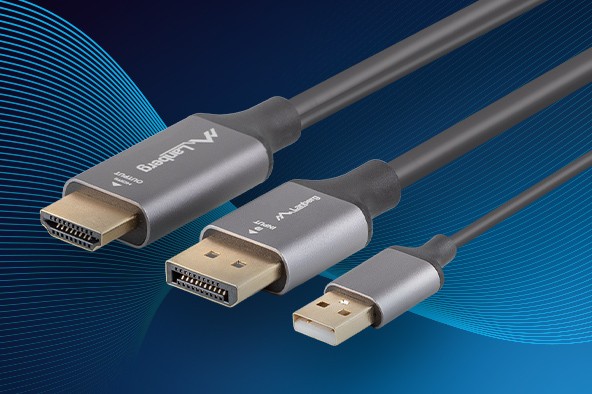
You buy a new 4K 144 Hz monitor, plug in a cable and… something’s off. The picture shows up, but there’s no HDR, refresh rate is stuck at 60 Hz, and the colors look like they’ve been washed through a gray filter. The culprit? Not the GPU. Not the monitor. The cable. More precisely — the connector you chose.
Contrary to appearances, the differences between HDMI, DisplayPort, DVI and VGA aren’t just different plugs. They’re entire technology stacks that decide how fast, how cleanly, and with what features image (and audio) are transmitted. Understanding those differences is key if you want to get the most out of the gear you already have.

HDMI — the king of the living room (and beyond)
HDMI is the undisputed standard for home entertainment. TVs, consoles, soundbars, laptops — everything uses the same connector.
But not all HDMI is created equal.
HDMI 2.1 — full power for 4K and 8K
HDMI 2.1 was a huge leap forward — it supports up to 8K at 60 Hz or 4K at 120 Hz, exactly what new-gen consoles (PS5 and Xbox Series X) need. It supports Dynamic HDR (HDR10+, Dolby Vision), eARC (audio return channel to an AVR or soundbar) and VRR, i.e. variable refresh rate to eliminate screen tearing in games. Watch out though — not every port labeled “HDMI 2.1” offers the full 48 Gbps bandwidth. Many devices, including TVs and laptops, are limited to 24 Gbps, which still allows 4K 120 Hz but often with reduced color depth or without HDR.
➡️ Tip: although the HDMI 2.2 standard has already been announced, there are no officially supported cables or devices on the market yet. So a high-quality HDMI 2.0 or 2.1 cable remains the best choice — depending on your needs and hardware.
HDMI 2.0 and 1.4 — still going strong
For Full HD monitors or older TVs, HDMI 2.0 is more than enough (4K 60 Hz, HDR10). HDMI 1.4 is basically a museum piece today — up to 4K 30 Hz.
DisplayPort — the favorite of gamers and pros
If you’re building a PC with a powerful GPU, DisplayPort is your best friend. Version 1.4 enables 4K at 144 Hz or 8K 60 Hz with DSC compression, while DisplayPort 2.1 goes to 8K 165 Hz and beyond. Thanks to DP, ultra-high refresh rates like 240 Hz, 360 Hz and higher are possible. DisplayPort also supports FreeSync, G-Sync, HDR10 and full 10-bit color. It uses a plug latch (won’t slip out accidentally) and can daisy-chain multiple screens over a single cable — MST (Multi-Stream Transport).
➡️ Tip:
- Want 4K 144 Hz with full HDR? Use DisplayPort 1.4 or newer.
- If your GPU only has DP and the monitor has HDMI — make sure the port is DP++ (Dual Mode). Then a passive adapter is enough.
- If there’s no DP++, you need an active converter with electronics (e.g., Lanberg AD-0016-BK).
DVI — the bridge between old and new
Although somewhat forgotten today, DVI still appears in older monitors and graphics cards. The best variant, DVI-D Dual Link, supports up to 2560×1600 at 60 Hz. It doesn’t carry audio or HDR, but delivers a clean, stable image. The DVI-I version can also carry an analog signal — so it works with DVI → VGA adapters.
➡️ Tip: if your monitor uses DVI, look for a Dual Link cable, not Single Link. The latter will cap you at Full HD.
VGA — a legend that deserves retirement
VGA, also known as D-Sub, is a purely analog connector. It was great in the CRT era, but today it makes little sense — every meter of cable reduces sharpness, colors fade, and interference is inevitable. It doesn’t support HDR, VRR or audio.
➡️ Tip: only use VGA when there’s no other choice — e.g., with an old projector. And only with a powered, active HDMI → VGA adapter.
Adapters and converters — magic, but with rules
Not every adapter works “both ways”. That’s the most common source of user frustration.
| Connection direction | Adapter type | Comment |
|---|---|---|
| DP → HDMI/DVI (DP++) | Passive | works without power |
| DP (no DP++) → HDMI | Active | requires onboard electronics |
| HDMI → DP | Always active | needs external power |
| HDMI → VGA | Active | needs a converter |
| USB-C (Alt Mode) → DP/HDMI | No active adapter | works directly |
Also remember that USB-C with DisplayPort Alt Mode can carry the same signal as a classic DP port — an ideal solution for laptops and ultrabooks.

How to pick the right cable for your setup?
- 🎮 Console / 4K 120 Hz TV: HDMI 2.1 (48 Gbps, Ultra High Speed certified).
- 💻 PC / gaming monitor: DisplayPort 1.4 or 2.1.
- 🖥️ Older gear: DVI-D Dual Link.
- 🧳 Projector or emergency link: active HDMI → VGA.
Lanberg — solid cables and adapters that won’t bottleneck your gear
Lanberg has been making cables that simply work for years. Our HDMI 2.0 cables deliver stable 4K 60 Hz, and DisplayPort 2.0 cables provide smooth output up to 165 Hz at QHD. With triple shielding, gold-plated connectors and oxygen-free copper (OFC) conductors, the signal stays clean and interference-free — even over longer 5–10 m runs. These are for people who value reliability over marketing — Lanberg doesn’t promise miracles, it delivers what matters most: a stable link and excellent image.
➡️ Sample models:
- Lanberg CA-HDMI-30CC-0030-BK — HDMI 2.1 Ultra High Speed 48 Gbps, 3 m
- Lanberg AD-UC-DP-01 — USB-C → DisplayPort 1.4 adapter
- Lanberg AD-HD-DP-01 — Active DP → HDMI converter, 4K 60 Hz
The difference between a 30 PLN cable and a 130 PLN one?
Not magic — materials and certification. Cheap cables often lack proper shielding, causing interference (“drops”), and some don’t even meet the claimed bandwidth standards. Lanberg sticks to the spec — so your monitor shows exactly what it was built for.
Summary
There’s no such thing as “one universal cable for everything”. There are only well-matched standards. Understanding how HDMI 2.1 differs from DisplayPort 1.4, why DP++ matters, and when you need an active adapter is the easiest way to make your gear work as the manufacturer promised. In the end, a cable isn’t just a wire — it’s the channel your entire picture quality flows through.


